How to add a bibliography and citations in Typst
Keep references in a .bib (or Hayagriva .yml) file, cite them inline with @key, and call #bibliography("references.bib") where the reference list should appear. Choose a style with the style argument — there is no separate biber or bibtex step.
Transformers @vaswani2017 changed everything.

#bibliography("references.bib")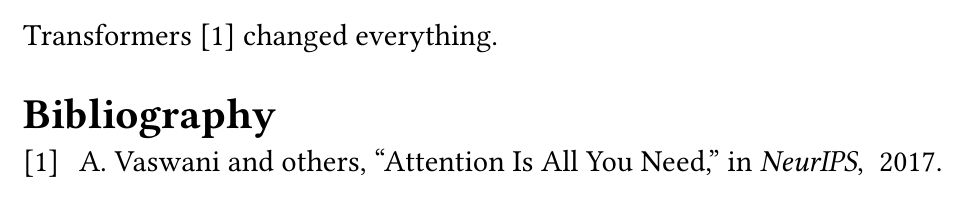
A complete document you can paste
Two files: main.typ and references.bib beside it.
// main.typ
#set page(paper: "a4", margin: 2.5cm)
#set heading(numbering: "1.")

= Introduction

Attention-based models @vaswani2017 replaced recurrence, and deep
residual learning @he2016 made very deep networks trainable.

#bibliography("references.bib", style: "ieee", title: [References])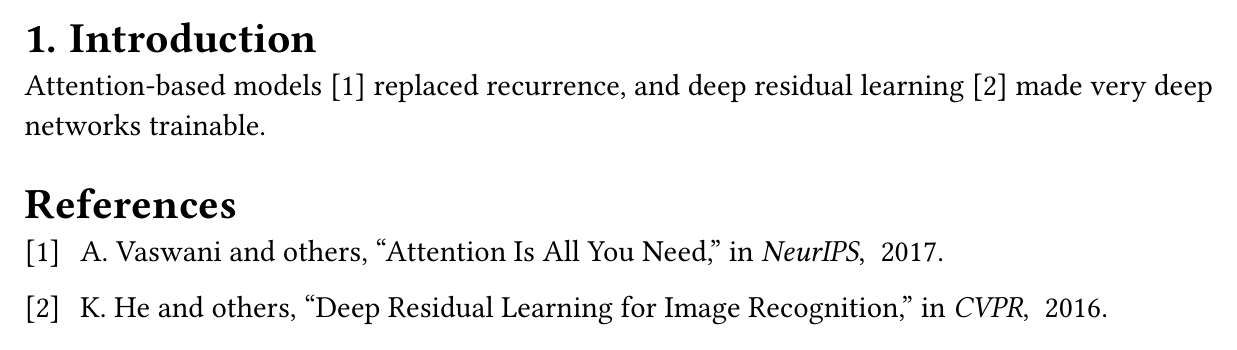
% references.bib
@inproceedings{vaswani2017,
  title     = {Attention Is All You Need},
  author    = {Vaswani, Ashish and others},
  booktitle = {NeurIPS},
  year      = {2017},
}

@inproceedings{he2016,
  title     = {Deep Residual Learning for Image Recognition},
  author    = {He, Kaiming and others},
  booktitle = {CVPR},
  year      = {2016},
}
Citation styles
style accepts any of the bundled CSL styles by name, or a path to your own .csl file. The common ones:
#bibliography("references.bib", style: "ieee")
#bibliography("references.bib", style: "american-psychological-association")  // APA
#bibliography("references.bib", style: "chicago-author-date")
#bibliography("references.bib", style: "nature")
#bibliography("references.bib", style: "my-journal.csl")
Citation forms
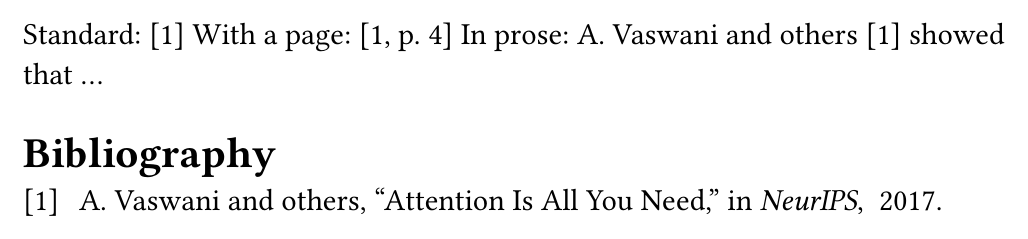
@key is the normal citation. Use #cite when you need to add a page locator or change the form — form: "prose" renders the author as part of the sentence.
Standard: @vaswani2017
With a page: #cite(<vaswani2017>, supplement: [p. 4])
In prose:   #cite(<vaswani2017>, form: "prose") showed that ...
The reference list and the outline
title sets the list's heading, and because it is a real heading #outline() includes it automatically. Pass full: true to print every entry in the file rather than only the cited ones.
#outline()

// ... document ...

#bibliography("references.bib", title: [References], full: false)
The complete argument list is in the Typst bibliography reference.
#cite( and KL autocompletes #cite(<slug>) from the papers and notes you have imported, so there is no .bib file to hand-maintain. See the reference-management guide for the whole workflow, or the Typst basics guide to get started.Common questions
- How do I add a bibliography in Typst?
- Put your references in a .bib or Hayagriva .yml file next to the document, call #bibliography("references.bib") where the list should appear, and cite entries with @key. Only cited entries are printed by default.
- How do I use APA style in a Typst bibliography?
- Pass the style argument: #bibliography("references.bib", style: "american-psychological-association"). Typst ships the CSL style set, so "ieee", "chicago-author-date", and "nature" work the same way; you can also pass a path to your own .csl file.
- How do I add the bibliography to the table of contents in Typst?
- The bibliography function takes a title argument, and that title is a heading, so #outline() picks it up automatically. If you set your own title with #bibliography(..., title: [References]) it appears in the outline like any other heading.
- How do I include a references.bib file in Typst?
- Pass its path to #bibliography, relative to the document: #bibliography("references.bib"), or #bibliography("bib/references.bib") for a subfolder. Typst reads BibTeX .bib files directly, so a file exported from Zotero or Mendeley works unchanged.
- Why does nothing appear in my Typst bibliography?
- By default Typst prints only entries you actually cited. If the list is empty, either no @key matched, or the keys in the document differ from the keys in the .bib file. Pass full: true to print every entry in the file regardless of citations.
- Do I need to run biber or bibtex with Typst?
- No. Typst resolves citations in the same compile run, so there is no separate biber or bibtex pass and no repeated compiles to get cross-references right.