Getting started with Typst
Typst is a modern typesetting system and a simpler alternative to LaTeX. Plain text is just text, lightweight markup covers the common cases (= for a heading, *bold*, _italic_), and anything richer is a function you call with a leading #. Styling comes from #set and #show rules rather than a preamble of packages.
= Introduction
This is a paragraph with *bold* and _italic_ text.

- a bullet point
+ a numbered point

== A subsection
See #link("https://typst.app")[the docs] for more.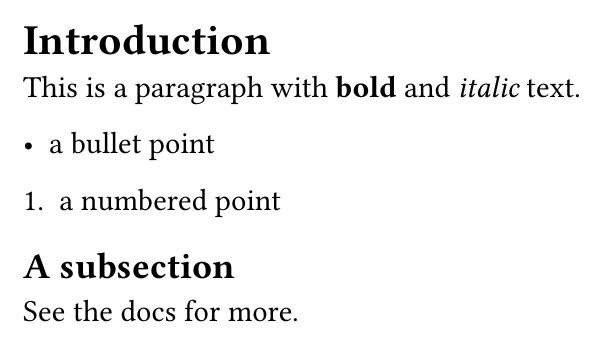
Set rules instead of preambles
Where LaTeX has a preamble of \usepackage lines, Typst uses #set rules that apply from where they appear onward — and #show rules to restyle elements.
#set page(paper: "a4", margin: 2.5cm)
#set text(font: "New Computer Modern", size: 11pt)
#set par(justify: true)

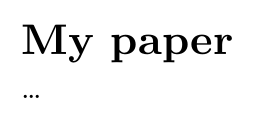
= My paper
...
In KL studiocreate a draft as Typst and it compiles in the same fast in-process loop as LaTeX, with the live preview updating as you type. Typst support is in alpha — editing the source and previewing works today.
Common questions
- Is Typst better than LaTeX?
- Typst compiles faster, has far clearer error messages, and uses one consistent scripting language instead of TeX macros. LaTeX still wins on the breadth of packages and on journal templates, which is the usual reason to stay with it.
- What replaces \usepackage in Typst?
- Two things. Styling that a LaTeX package would provide is usually a built-in #set or #show rule, and genuine third-party code is imported with #import "@preview/name:version" from Typst Universe.
- What is the difference between set and show rules in Typst?
- A #set rule changes the default arguments of an element from that point onward, such as the page size or the text font. A #show rule intercepts an element and replaces how it is rendered, which is how you restyle headings or every table cell.
- How do I add a package in Typst?
- Import it from the package registry by name and version, for example #import "@preview/cetz:0.5.2". There is nothing to install: the compiler fetches the package the first time it is used.